1
Sources
Bring what you already have
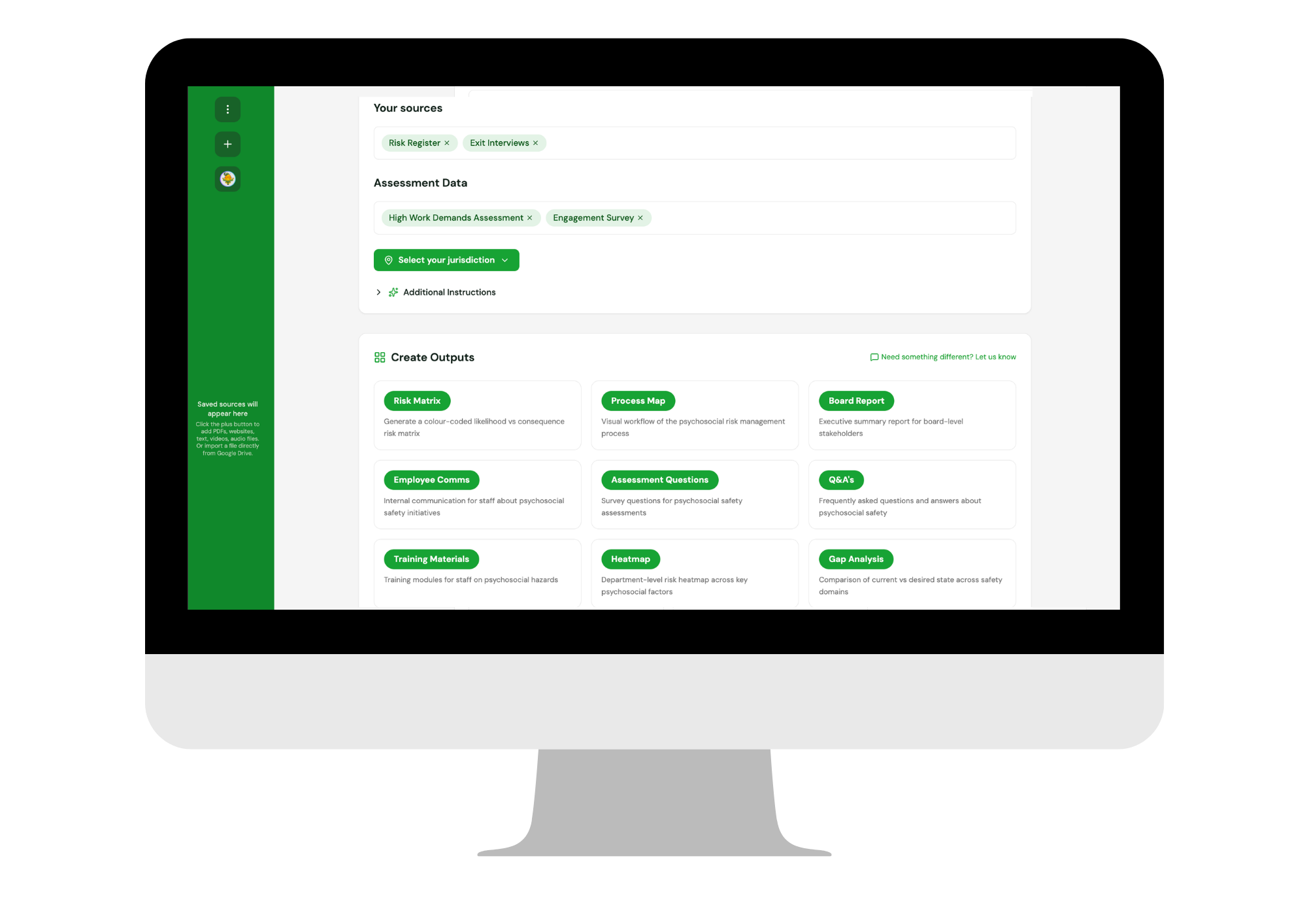
Risk registers, exit interviews, engagement surveys, incident data, policies and position descriptions. Gentia reads them as they are, with no reformatting and no integration project.
Winner — Best WHS Training Program, 2026 Hunter Safety Awards
Intelligent reporting
Reports that update as your organisation does. Ask a question in natural language and get the answer, data visualised and the reasoning behind it. Then open an Insight Navigator and turn the finding into a control someone can actually apply.
Most reporting tells you what happened last quarter, once someone has had time to build the slide. By then the decision has already been made. Gentia reporting is live, and it answers back.
How it works
Every report starts with what you already hold and ends with something a person can do on Monday.
Sources
Risk registers, exit interviews, engagement surveys, incident data, policies and position descriptions. Gentia reads them as they are, with no reformatting and no integration project.
Assess
Conversational interviews, check-ins and assessments gather the evidence a survey misses. Results land straight into the reporting, not into a separate file.
Report
Choose the output and Gentia builds it from your fingerprint, produced for your exact requirements, with the evidence attached.
Navigate
Ask questions of the finding, test a control, draft the policy, brief the manager. The report stops being a document and becomes a working session.
What Gentia can build
If you can imagine it, Gentia can build it.
Every output carries the evidence it was built from.
Reports that hold up
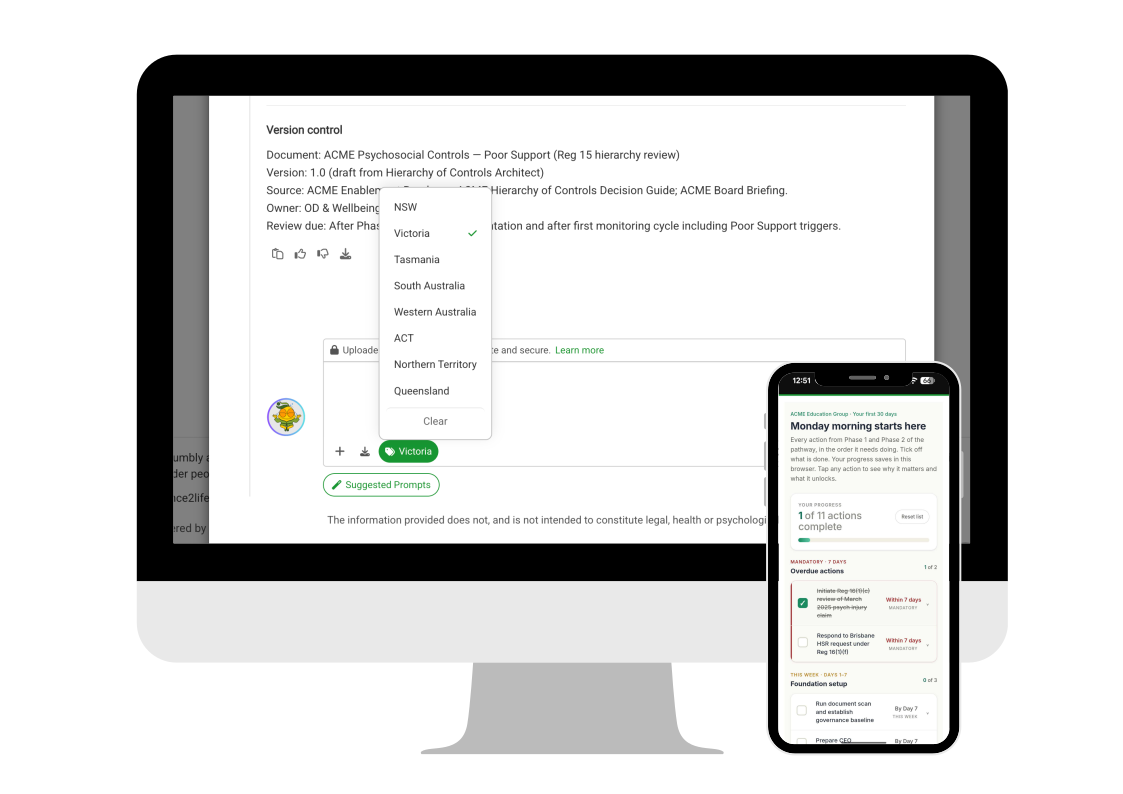
Select your sources and the output is written against the specific laws, rules and governance that applies to you, with citations and reasoning so you can trace every output. Change the focus and the output changes with it.
Insight Navigators
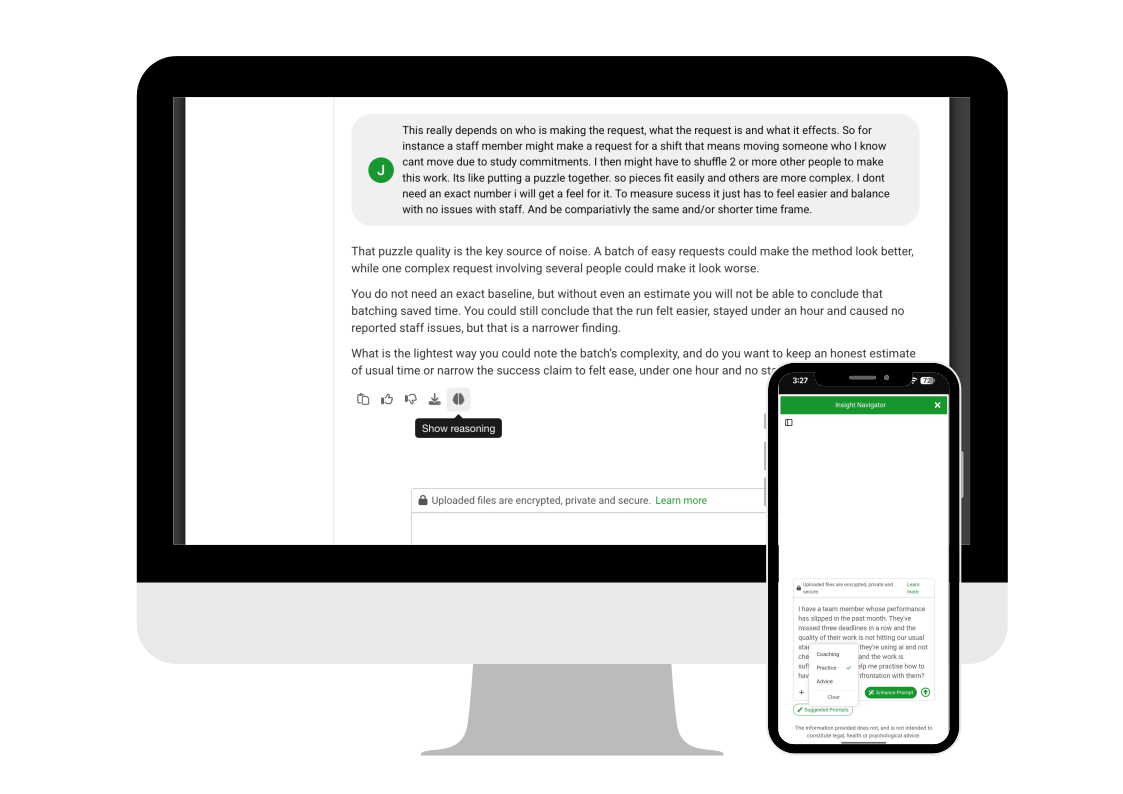
A general model can summarise a document and draft an email. We'll leave that work to the general models. An Insight Navigator is built on an expert-trained dataset and your own organisational fingerprint, and it reasons across both, so output is specific to your structure, your obligations and your history.
Picks up patterns while they're still forming.
Reasons across expert psychosocial data and your own fingerprint, not the public internet.
Drafts and designs policies, controls, training, consultation sessions, board papers and more.
Reaches people where they are, in the flow of work.
What they do
Navigators are scoped to the job in front of you. Configured to your governance rules, and trained to draft in your brand and your voice.
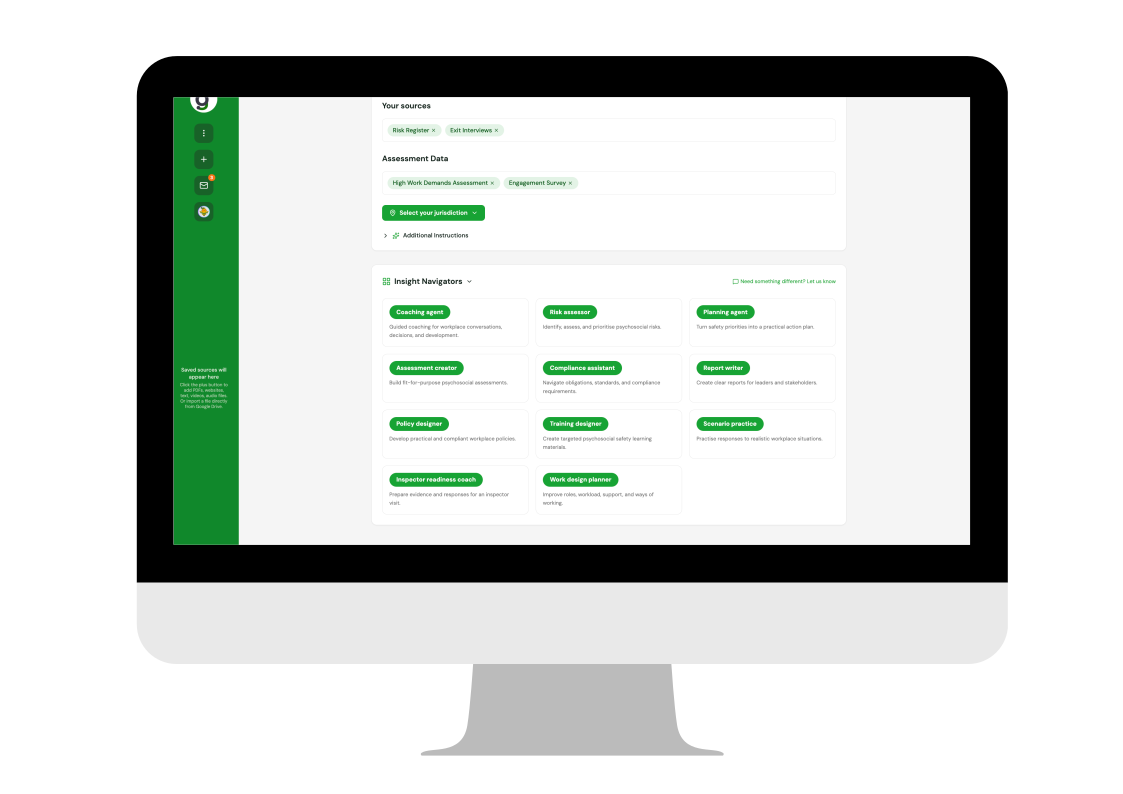
Guided coaching for workplace conversations, decisions and development.
Identify, assess and prioritise psychosocial risks.
Turn safety priorities into a practical action plan.
Build fit-for-purpose psychosocial assessments.
Navigate obligations, standards and compliance requirements.
Create clear reports for leaders and stakeholders.
Develop practical and compliant workplace policies.
Create targeted learning and development materials.
Practise responses to realistic workplace situations.
Prepare evidence and responses for an inspector visit.
Improve roles, workload, support and ways of working.
Calculate ROI, cost of inaction, implementation costs and projected returns.
Need one that isn't here? Navigators are built to your requirements.
Worked example
Here is how one finding moves through reporting and into action. Each step adds one piece of information and one decision.
The High Work Demands assessment flags one division well above the rest. On its own, that is a number on a page.
You ask why. Gentia reads the assessment alongside exit interviews and the risk register, and answers in plain language with the evidence attached.
Headcount is already funded and recruitment is underway. So this is not simply a staffing gap, and Gentia stops treating it as one.
Volume is not the constraint. Sequencing is. Team leaders cannot decide the order of their own work, so regulated reports get done last, and late.
High job demands compounded by low job control in a team with regulated reporting obligations and no capacity to absorb a mistake. Rated: High.
The Work design planner drafts protected blocks with the queue closed. The Compliance assistant writes it against your jurisdiction and cites the clause. The Coaching agent briefs the manager who owns it, with the first conversation prepared. Re-rate at four weeks.
Same evidence, three specialists, one action.
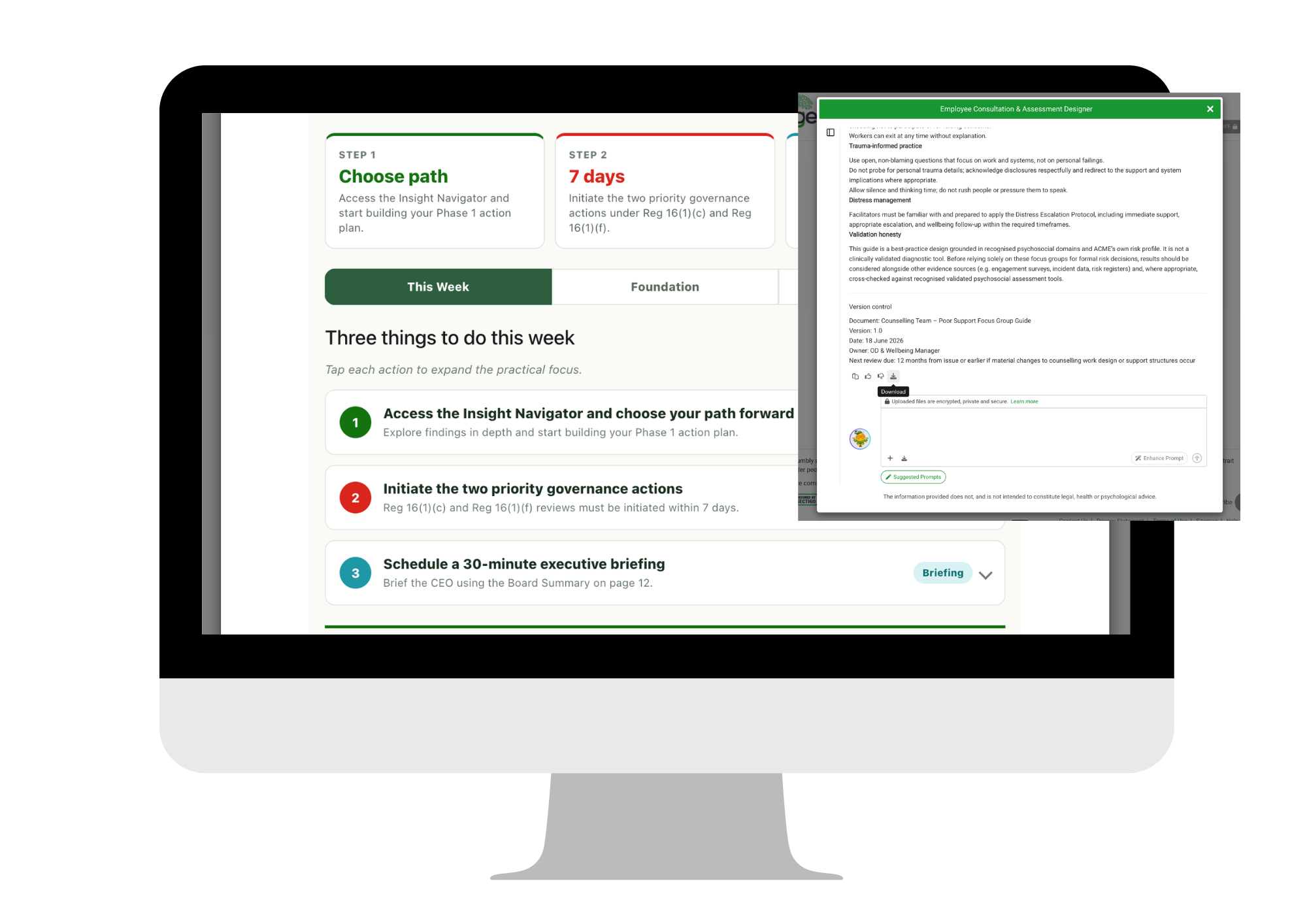
In the flow of work
Coaching agents draw on employee data, 360 feedback and your organisational fingerprint, so a manager can receive context aware coaching about their actual situation. The coach asks reflective questions, helps the person apply a concept to their real situation, and guides them toward a clear action.
Leading WELL agents coach the behaviour behind the risk. How a leader delegates, supports and decides sets the role clarity, job demands and job control their team works under, so Gentia traces a risk back to the behaviour driving it, coaches that behaviour in the flow of work, and measures the risk coming down. The agent works from an evolving picture of how that leader actually operates, and its nudges arrive in the flow of work, sized to fit a working day.
Gentia is built on 14+ years of specialist psychosocial safety practice, encoded into the dataset the AI reasons on. We only claim what the evidence carries.
We'll take you through the reporting and the navigators on the kind of information you already hold, and show you where every answer came from.
Opens your email app, addressed to hello@gentia.ai. Nothing to prepare. No integrations, and no IT procurement.
FAQ
An Insight Navigator is a specialist AI agent inside Gentia, built on an expert-trained psychosocial safety dataset and on your organisation's own workforce fingerprint. Each navigator is scoped to a specific job, such as assessing risk, designing a control, drafting a policy, writing a board report or coaching a manager. Because navigators reason across both the expert dataset and your organisational data, the output is specific to your structure, roles, obligations and history rather than general advice.
A general-purpose model tells you what is generally true about psychosocial safety. An Insight Navigator tells you what is happening in your organisation, what you did about it and whether it worked. General models are trained on the public internet and have no access to your structures, roles, controls or history. Insight Navigators reason over two things a general model does not have: a psychosocial dataset built by specialists and mapped to Australian WHS law, and a model of your own organisation built from information you already hold. Every answer traces back to the evidence it came from.
An organisational fingerprint is the connected picture Gentia builds from the workforce and operational signals your organisation already produces, including structure, roles, workforce data, surveys, assessments, incidents, exits and change activity. On their own those signals say very little. Connected, they reveal patterns AI can reason across, which is what allows reporting to be specific to your organisation rather than generic.
Gentia builds the output you need from your own sources and assessment data. Standard outputs include a risk matrix, a board report, a department-level heatmap, a gap analysis, a process map, employee communications, assessment questions, Q&As, training materials, meeting summaries and implementation timelines. Custom outputs can be added where an organisation needs a format Gentia does not already produce.
Yes. Reports are generated from your live organisational fingerprint rather than fixed at a point in time. As new assessment results, incidents, exits or change activity arrive, the picture the report is built from moves with them, and the output can be regenerated rather than recommissioned.
Yes. Instead of a static report that needs an analyst to interpret results, you can ask a question in natural language and Gentia returns the finding, supporting charts and an explanation of the reasoning across surveys, reviews and locations. You can set a topic or focus to narrow your question to a particular jurisdiction, hazard, team or site.
Yes. Navigators are configured to your organisation's rules, governance and guidelines, and can be trained to draft in your brand and voice. They can be built for specific jobs such as designing training, engineering a workflow, preparing consultation sessions, drafting policy or readying evidence for an inspector visit.
Yes. Material findings carry citations to their source and a visible reasoning path back to the evidence they were built from. Where Gentia is inferring rather than observing, it says so and names what would confirm it. Specialists validate material findings before they are relied on. There are no black-box outputs.
Yes. You select your jurisdiction and outputs are written against the psychosocial regulations and codes that apply there, with the relevant clause cited and the hierarchy of controls applied in order. Gentia covers the Australian Safe Work Model Code of Practice, all Australian state regulations and the global international standard ISO 45003:2021.
No. Insight Navigators work on the design and management of work, not on individual diagnosis or treatment. They do not provide legal, health or psychological advice, and they are designed to direct people to appropriate support rather than counsel them.
No. Gentia starts from information your organisation already holds, such as risk registers, exit interviews, incident data and existing survey results. Conversational assessments often follow and make the picture sharper, but they are not required to begin.
No. Your information is never used to train public or third-party models. All data is stored and processed in accredited Australian data centres, and personal details are removed before any AI processing. Learning improves your own organisation's knowledge layers only.
Coaching agents and Leading WELL agents can deliver coaching and behaviour change prompts into the tools a manager already uses. Each prompt is sized to fit a working day, grounded in what the data says about that specific team, with follow-up tracked so nothing slips.